Tired of Typing Every Meal? MyFitnessPal Alternatives With Photo Logging
MyFitnessPal taught a generation to count calories, and then it taught them to dread opening the app. If you're hunting for a MyFitnessPal alternative because logging every meal feels like data entry, or because the barcode scanner you relied on moved behind a paywall, this guide covers what actually changed, what to look for in a replacement, and how ego turns the food diary into a photo, a scan, or a typed sentence.
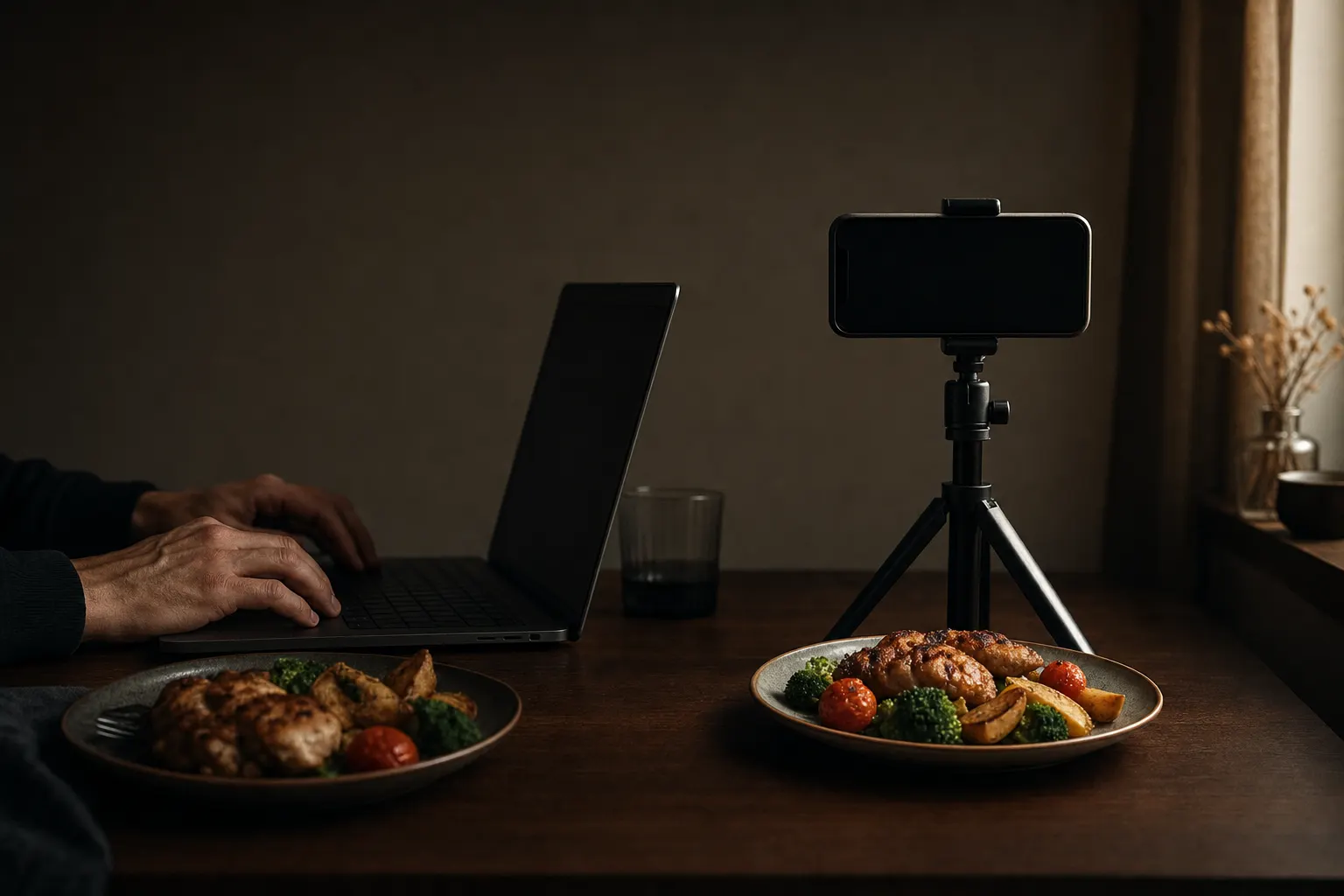
Short answer: If MyFitnessPal's search-and-log routine wore you out, the fix is an app that captures food faster: ego logs meals from a photo, a barcode scan, or a typed sentence in chat, then folds the results into an AI training plan. To be fair, MyFitnessPal still has the deepest food database in the category, so heavy users of niche packaged foods may still prefer it. ego is free to download on iPhone (iOS 18+); a subscription unlocks full tracking and training.
Why MyFitnessPal fatigue is real
MyFitnessPal built the calorie-tracking category, but the daily workflow hasn't changed much in a decade: search a database, pick the right entry from a list of near-duplicates, adjust the serving size, repeat three to five times a day. That's manageable for a week and exhausting by week six, which is when most food diaries quietly die.
The bigger push came in October 2022, when MyFitnessPal moved its barcode scanner behind the Premium paywall after roughly a decade of free access. As of 2026, Premium runs $19.99 per month or $79.99 per year, and Premium+ costs $24.99 per month or $99.99 per year. The free tier still works, but it's the slowest version of the app: manual search, ads, and no scanner.
One honest note if you're specifically searching for a MyFitnessPal alternative with a free barcode scanner: most serious trackers now put scanning behind a subscription, ego included. The real question is what else that subscription buys you.
What to look for in a MyFitnessPal alternative
Logging friction is the reason food diaries fail, so judge any replacement on how fast a real meal gets into the log. Four things matter more than database size:
- Capture speed. Photo logging, barcode scanning, or plain-language entry beats typing search queries. If dinner takes 90 seconds to log, you'll skip it on busy days.
- Editable estimates. Any AI or database estimate will sometimes be off. You need to correct portions and macros in a couple of taps, not fight the app.
- Targets that update. A static calorie goal set on day one goes stale. Look for calorie and macro targets that update daily as your data comes in.
- Something done with the data. Numbers in a diary are only useful if the app tells you what's blocking your goal, and ideally connects nutrition to your training instead of leaving them in separate silos.
How ego replaces the food-diary chore
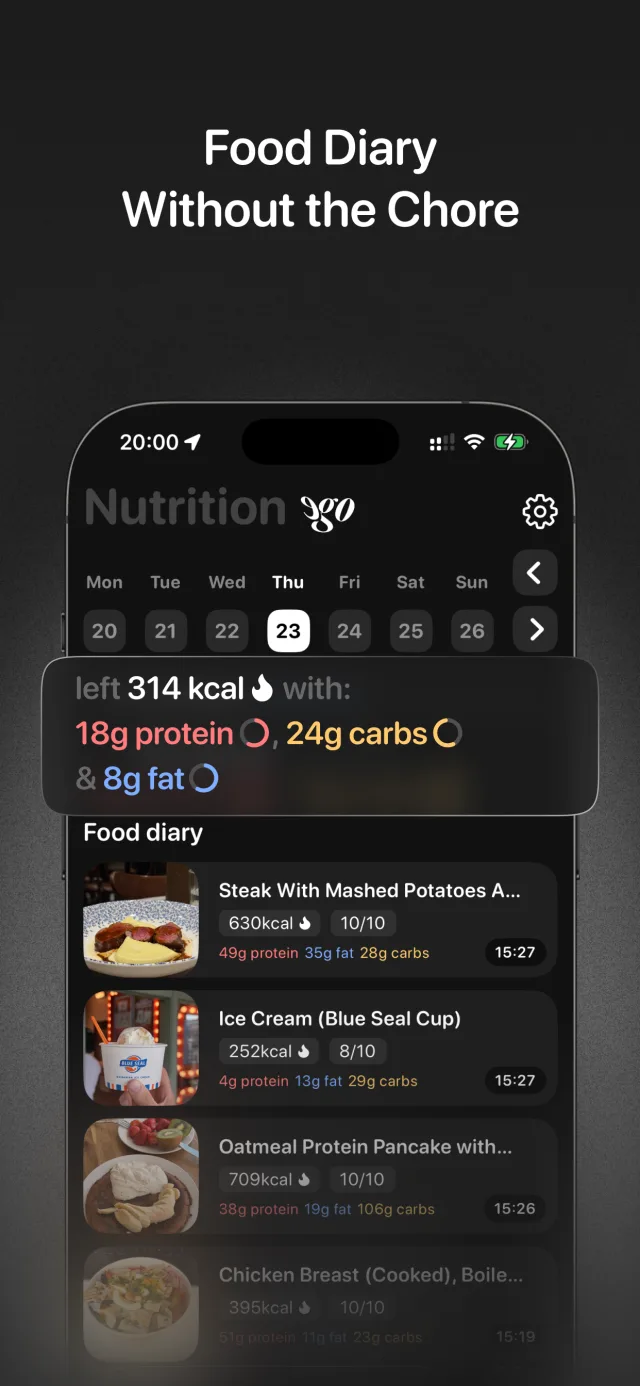
ego is built on the idea that a food diary app without manual entry as the default is the only kind people stick with. You still confirm every log, because no app can track your food with zero input, but each entry takes seconds instead of a search session:
- Photo logging. Snap a picture of your plate and ego returns calories and macros you can edit before saving. See how photo calorie logging works.
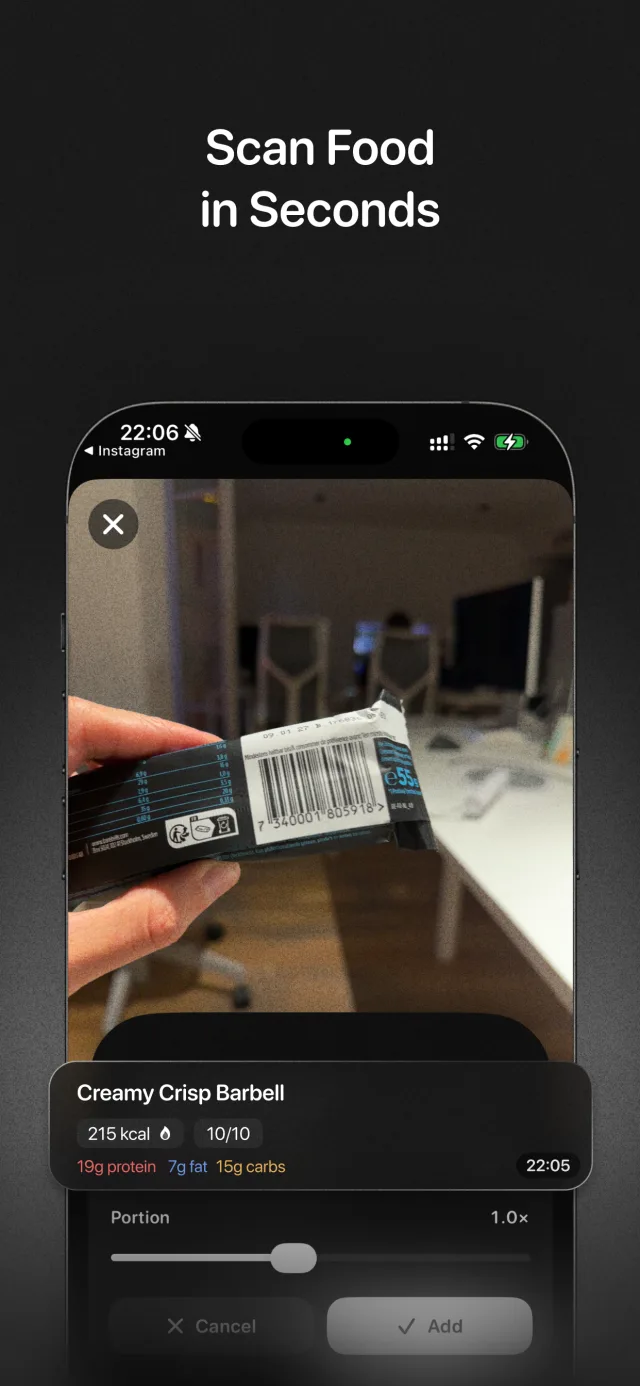
- Barcode scanner. Point the camera at packaged food and the label data fills in.
- Chat logging. Type "two eggs, toast with butter, black coffee" to the Ego Agent and it logs the meal. This is the fastest option when there's nothing to photograph.
Behind the capture layer sits a calorie counter and macro tracker with daily-updated targets, plus a daily nutrition analysis that flags what's blocking your goal, like protein running short on training days. If you hate weighing food, the photo-first approach pairs well with tracking macros without a food scale.
Honest comparison: where MyFitnessPal still wins
No alternative matches MyFitnessPal's database breadth. Years of user-contributed entries mean obscure regional products and restaurant items usually exist somewhere in its catalog. If your diet leans heavily on niche packaged foods and you don't mind manual search, MFP is still hard to beat. It also runs on Android and the web; ego is iPhone-only and requires iOS 18 or later.
Where ego wins is speed and integration. MyFitnessPal records what you ate; ego also builds a personalized strength plan from your goal, experience, limitations, and activity level, adapts it automatically when you miss workouts instead of making you restart, suggests working weights per exercise, and reads your Apple Health steps, sleep, and active calories for context. Food and training live in one loop instead of two apps.
Other names worth a look: Lose It! is a traditional tracker in the MFP mold, MacroFactor focuses on adaptive macro coaching, and Cal AI is a photo-first calorie counter without a training side, which we compare directly in our Cal AI alternative guide. For the full feature list, see the ego homepage.
How to switch from MyFitnessPal to ego
- Download ego on your iPhone
Get ego: AI Fitness Coach on the App Store. It's free to download and requires iOS 18 or later; a subscription unlocks personalized workout generation, smart nutrition tracking, and personal analytics.
- Set your goal in onboarding
Pick fat loss, muscle gain, or maintenance and answer questions about experience, limitations, and activity level. ego sets your calorie and macro targets and builds a strength plan around the same goal, so tracking and training point in one direction.
- Photo-log your first meal
Snap a photo of your next plate. Review the calories and macros, adjust the portion if it looks off, and save. That's the entire logging flow.
- Scan your packaged staples
Use the barcode scanner for protein bars, yogurt, cereal, and anything else with a label. Combined with photos, it's the easiest way to track calories without logging everything by hand.
- Type quick logs in chat
When there's nothing to photograph, tell the Ego Agent what you ate in plain English and it goes straight into your diary. It also answers questions about your plan and reads your Apple Health activity for context.
- Check your daily nutrition analysis
Each day ego summarizes how you ate against your targets and calls out what's blocking your goal, so the diary produces decisions, not just numbers.
Frequently asked questions
Does ego have a free barcode scanner like MyFitnessPal used to?
No, and honestly almost no serious tracker does anymore. ego is free to download, but barcode scanning is part of the subscription along with photo logging, AI workout plans, and analytics. The difference from MyFitnessPal Premium is that the same subscription covers your training plan, not just food tracking.
Can I import my MyFitnessPal food history into ego?
No. ego doesn't import MyFitnessPal exports. It builds fresh calorie and macro targets from your onboarding answers and updates them daily, so you don't need past diary data to get accurate targets from day one.
Is ego available on Android or the web like MyFitnessPal?
No. ego is an iPhone app that requires iOS 18 or later. If you're on Android or need web-based logging, MyFitnessPal, Lose It!, or MacroFactor are better fits for now.
What happens when a photo estimate is wrong?
You edit it before saving. Every photo log shows calories and macros you can adjust in a couple of taps, and you can always fall back to the barcode scanner for packaged food or a typed chat log for mixed meals.
Log dinner before MFP finishes searching
Download ego on the App Store, snap your next meal, and get calories, macros, and an adaptive training plan in one app. Free to download on iPhone (iOS 18+).