How to Take a Picture of Food and Get Calories (and Macros) Instantly
If you want to take a picture of food and get calories back without searching a database or weighing every ingredient, AI photo logging can do that in a few seconds. This guide explains how the technology actually works, where it's reliable and where it's genuinely weak, and how to get estimates good enough to hit your goal. It ends with a walkthrough using ego, an AI fitness coach for iPhone.
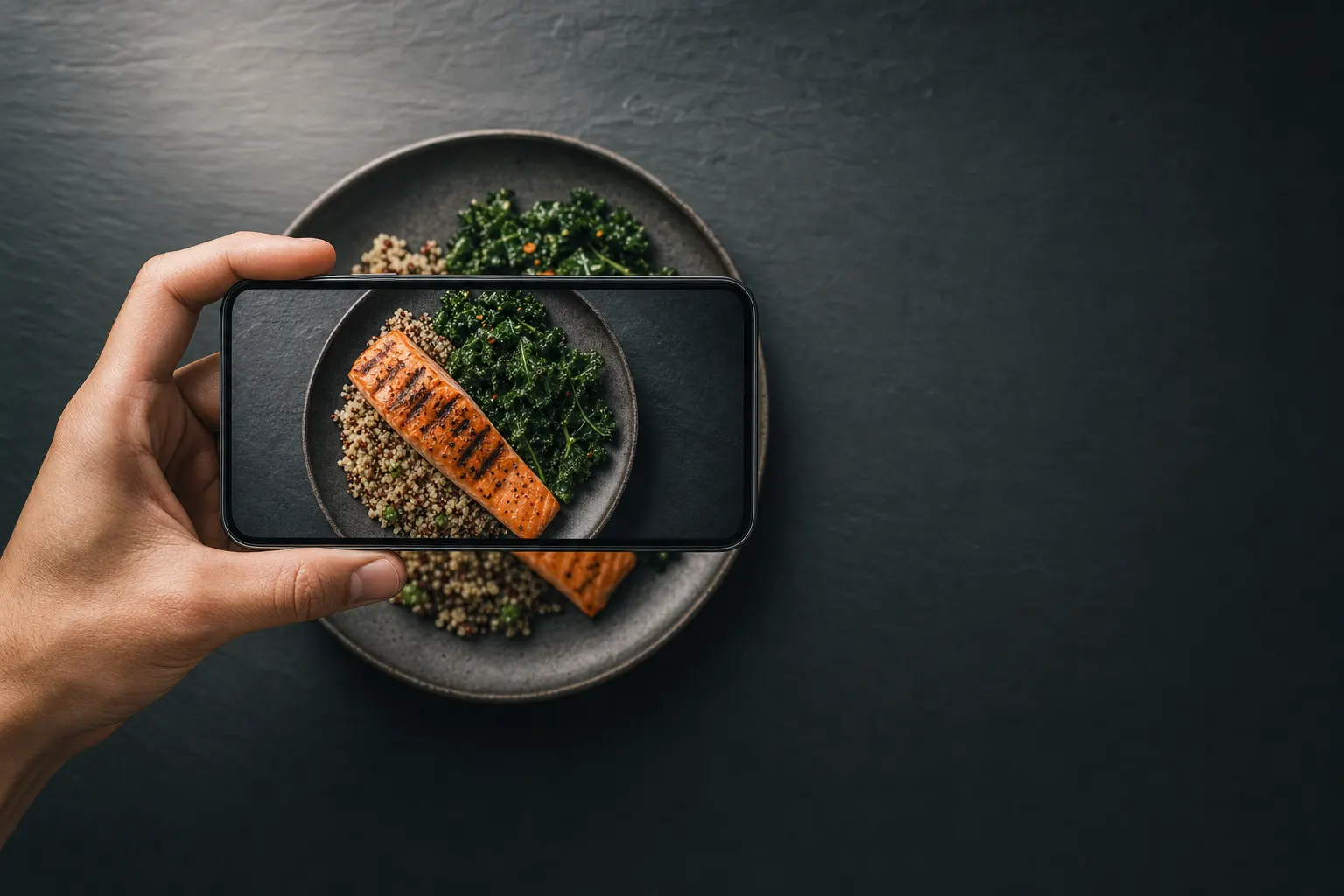
Short answer: Yes, an app can count calories from a picture of food: AI vision identifies what's on the plate, estimates portion sizes, and maps everything to nutrition data to return calories plus protein, carbs, and fat. The honest caveat is that every number is an estimate. Photos can't see cooking oil, sugar in sauces, or how deep a bowl is, so expect errors on mixed dishes. Good apps let you edit items and portions in one tap, which is where most of the accuracy actually comes from.
What Happens When You Take a Picture of Food and Get Calories
An app that counts calories from a picture of food runs three steps in sequence, usually in under ten seconds:
- Recognition. A vision model identifies each item in the frame (grilled chicken, white rice, broccoli) the same way image classifiers identify objects in any photo.
- Portion estimation. The model guesses quantity from visual cues: the size of the plate, the height of the pile, the utensil next to it. This is the hardest step and the biggest source of error.
- Nutrition math. Each identified item and portion gets mapped to nutrition data, then summed into total calories and macros.
The output is a structured guess: "chicken breast, ~150 g, 248 cal, 46 g protein." An app that tells you macros from a picture is doing exactly this, and nothing in the process ever gets weighed. That's why the edit step matters: when you correct "150 g" to "220 g," you're fixing the one number the camera can't actually know.
What Photo Calorie Counting Gets Right — and Where It Fails
The research here is more encouraging than skeptics assume and less magical than app marketing implies. A systematic review published in Annals of Medicine (2023) compared AI image-based dietary assessment against human estimators and ground truth, and found AI methods generally performed comparably to or better than human assessors, with accuracy varying widely by food type.
Where photos work well
- Distinct plated foods: a protein, a carb, and a vegetable that are visually separate.
- Whole foods: an apple, eggs, a baked potato. Anything with a recognizable shape and predictable density.
- Repeat meals: once you've corrected your usual breakfast once, future estimates of the same meal need less editing.
Where photos fail
- Hidden fats: a tablespoon of olive oil is roughly 120 calories and completely invisible in a photo. Restaurant meals routinely carry 200+ unseen calories in oil and butter.
- Mixed dishes: the camera can't see the ratios of ingredients inside a curry, a casserole, or a burrito.
- Depth: bowls and smoothie cups hide volume. A photo from directly above makes this worse.
- Liquids: a latte and a black coffee look similar; the calorie difference is 15x.
If you want the full breakdown of error rates and how they compare across apps, read our guide on how accurate AI calorie counters really are.
Six Habits That Make Photo Estimates Noticeably Better
You can cut the error on an app that scans food and tells you macros with a few cheap habits:
- Shoot at roughly 45 degrees, not straight down. The model needs height information to judge portions.
- One dish per photo. A crowded table shot forces the model to segment five plates at once; each one gets worse.
- Keep a fork or your hand near the plate. A familiar object gives the model scale.
- Photograph before you eat. A half-finished plate produces a half-right estimate.
- Always glance at the breakdown. Fixing one wrong item ("that's brown rice, not fried rice") takes five seconds and often moves the estimate more than any photo technique.
- Calibrate once. Weigh your most common meal one time, compare it to the photo estimate, and you'll know your app's bias for that meal going forward.
The pattern behind all six: the photo gets you 80% of the way instantly, and a five-second review closes most of the rest. That's still dramatically faster than the search-a-database workflow, which is why many people switch from manual loggers; see our MyFitnessPal alternative comparison for that trade-off in detail.
When Not to Use the Camera at All
Photo logging is one input among several, and two situations call for a different tool:
- Packaged food with a label. Don't photograph a protein bar when you can scan its barcode. Label data is exact; a photo of the wrapper is a guess. ego includes a barcode scanner for exactly this.
- Meals you can't photograph. You ate half a sandwich in the car two hours ago. Typing "half a turkey sandwich and a small bag of chips" into an AI chat gets it logged with reasonable numbers, no photo required. Here's how logging meals by chatting with AI works in ego.
The apps worth using treat the camera, the barcode scanner, and text as interchangeable ways to reach the same food log. Consistency beats precision in nutrition tracking: a log that's 85% accurate every day beats one that's 99% accurate on the three days you had the patience to weigh things.
How to Take a Picture of Food and Get Calories with ego
- Download ego and set your targets
Get ego: AI Fitness Coach from the App Store (iPhone, iOS 18+; free to download, subscription unlocks full nutrition tracking). During onboarding you pick a goal (fat loss, muscle gain, or maintenance) and ego sets daily calorie and macro targets that update as you go, so every photo you log lands against a real number.
- Snap one dish, straight from the app
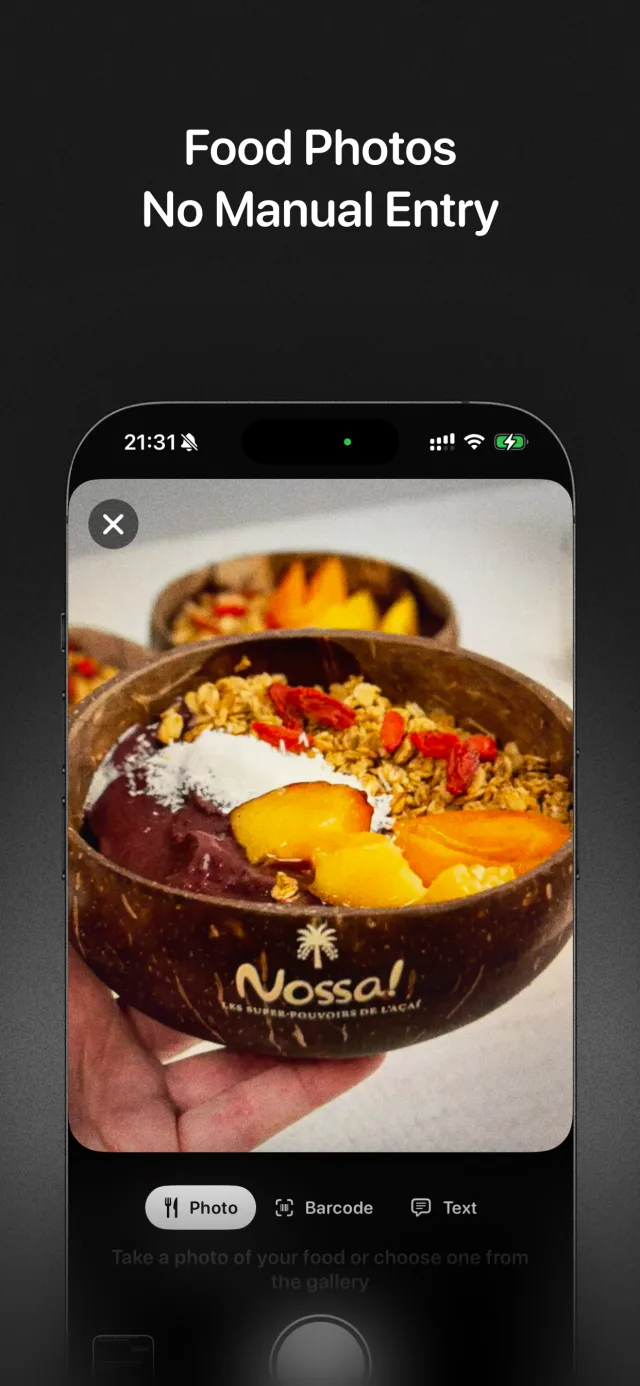
Open meal logging and take a photo at a slight angle with the whole plate in frame. In a few seconds ego returns the identified foods, estimated portions, total calories, and the protein/carb/fat split.
- Review and edit the breakdown
Every item and portion is editable. If ego read your 220 g of rice as 150 g, drag it up; if it missed the dressing, add it. This is the step that turns a decent guess into a number you can trust, and it rarely takes more than a few seconds.
- Scan barcodes for anything packaged
For yogurt cups, protein bars, and frozen meals, use the built-in barcode scanner instead of the camera. You get the label's exact numbers with zero estimation error.
- Type it in chat when a photo won't work
Tell the Ego Agent "log two scrambled eggs and toast with butter" and it goes straight into your day. The same chat can answer questions about your plan and reads your Apple Health steps, sleep, and active calories for context.
- Check your daily nutrition analysis
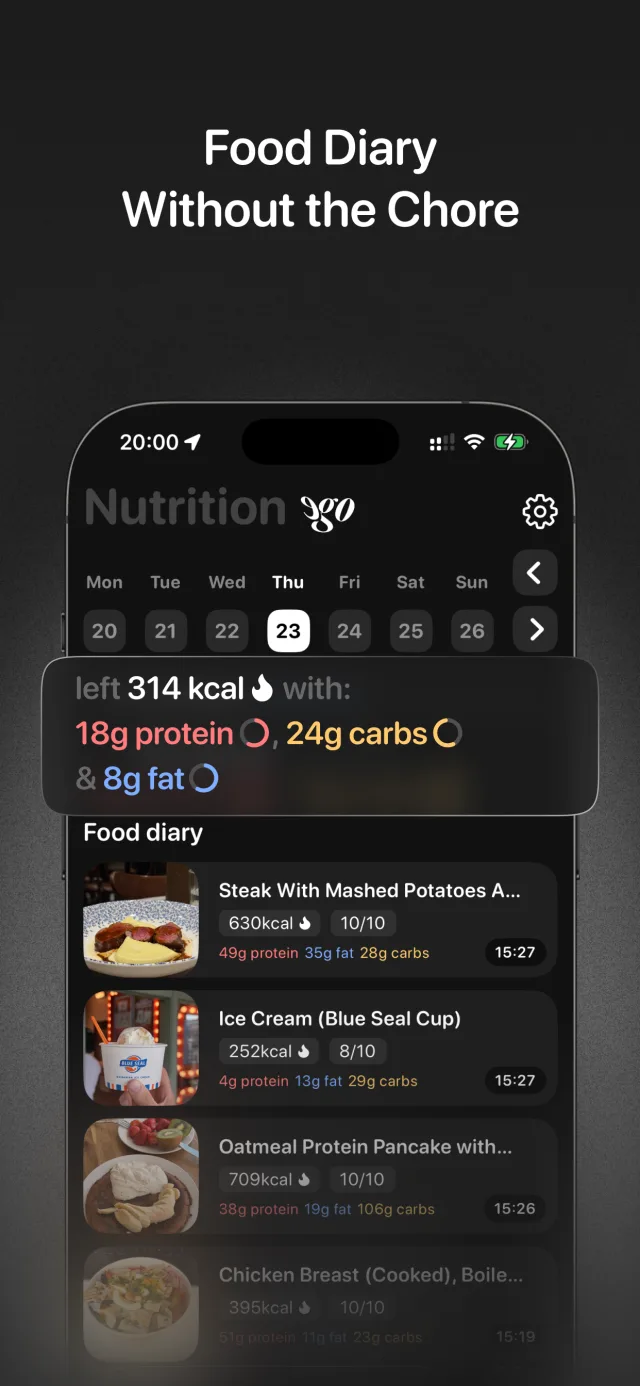
At the end of the day, ego analyzes what you logged against your targets and tells you specifically what's blocking your goal, whether that's low protein, a calorie overshoot from restaurant meals, or some other pattern. Logging is only useful if something reads the log.
Frequently asked questions
Does taking a picture of food work for restaurant meals?
Can an app tell me macros from a picture, not just calories?
What should I do when the photo estimate is obviously wrong?
Do I need an internet connection to get calories from a food photo?
Point your camera at your next meal
ego turns a photo into calories and macros in seconds, backs it up with a barcode scanner and chat logging, and tells you each day what's actually blocking your goal. Free to download on iPhone; subscription unlocks full nutrition tracking and personalized training.